Best Performance Laptop for AI Tools and Productivity in 2026
AI is no longer something people use only for experiments or occasional questions. From writing emails and creating presentations to analysing data, editing images and managing daily tasks, AI tools are becoming a regular part of how people work. Choosing the Best Performance Laptop in 2026 can make these tasks smoother, especially if you frequently switch between AI applications, browser tabs, office software and creative tools.
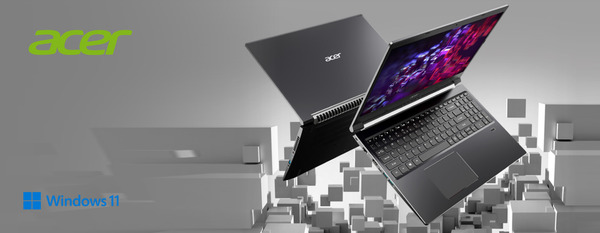
However, not every laptop is built to handle modern AI-powered workflows equally well. Processor capabilities, RAM, storage, battery life and dedicated AI hardware can all influence your everyday experience. If you're a student, working professional, freelancer or content creator, investing in the right laptop can help you work smarter without constantly worrying about slowdowns.
In this guide, we'll explore what makes a laptop suitable for AI tools, which specifications matter most, and how to choose a laptop that supports productivity in 2026. We'll also explore how Acer laptops can fit into today's AI-powered work environment.
Why AI tools are changing laptop requirements in 2026
AI-powered applications are making everyday tasks more convenient, but they can also demand more from your computer. Some tools run primarily in the cloud, while others use your laptop's processor, graphics hardware or Neural Processing Unit (NPU) to perform tasks locally.
For example, you might use AI to:
Generate summaries of lengthy documents.
Draft emails, reports and presentations.
Remove backgrounds or enhance photos.
Transcribe meetings and voice recordings.
Analyse spreadsheets and organise data.
Assist with coding and debugging.
Run AI-powered features in creative applications.
When multiple applications are open at the same time, your laptop needs enough computing power and memory to keep everything running comfortably. That's why choosing the right hardware matters more than simply looking at a laptop's advertised AI features.
Best Performance Laptop: Which specifications matter for AI productivity?
A practical buying guide to the components that make a difference in everyday AI-powered work.
1. Choose a modern processor with AI capabilities
The processor is one of the most important components of a laptop. It affects how quickly applications launch, how efficiently tasks run and how smoothly you can multitask.
In 2026, modern processors with integrated AI capabilities are becoming increasingly useful. CPUs equipped with an NPU can handle certain AI workloads more efficiently, potentially reducing the workload on other components.
When shopping for a laptop, consider modern Intel Core Ultra, AMD Ryzen AI or other processors that offer suitable performance for your intended applications. Don't choose a processor based on its name alone; also consider its generation, power limits and overall performance.
2. Get at least 16GB RAM for comfortable multitasking
If you regularly use AI tools alongside Chrome, Microsoft Office, video calls and other applications, RAM can quickly become important.
16GB RAM is a practical starting point for many productivity-focused users in 2026.
While 8GB may still work for basic tasks and lighter workloads, 16GB gives you more breathing room when switching between multiple applications. If you work with large datasets, video editing, software development or heavier AI workloads, 32GB RAM may be worth considering.
Before purchasing, check whether the memory is upgradeable or soldered onto the motherboard.
3. Look for fast SSD storage
A laptop with SSD storage generally feels more responsive than one using older mechanical storage. Applications load faster, files open more quickly and the overall system experience feels smoother.
For productivity and AI-related work, a 512GB SSD is a sensible starting point for many users. If you regularly store video files, design projects, software or large datasets, consider a 1TB SSD.
Fast storage isn't a replacement for RAM or a capable processor, but it plays an important role in creating a responsive working environment.
Click here to read full blog: https://justpaste.it/gdi5l


Comments
Post a Comment